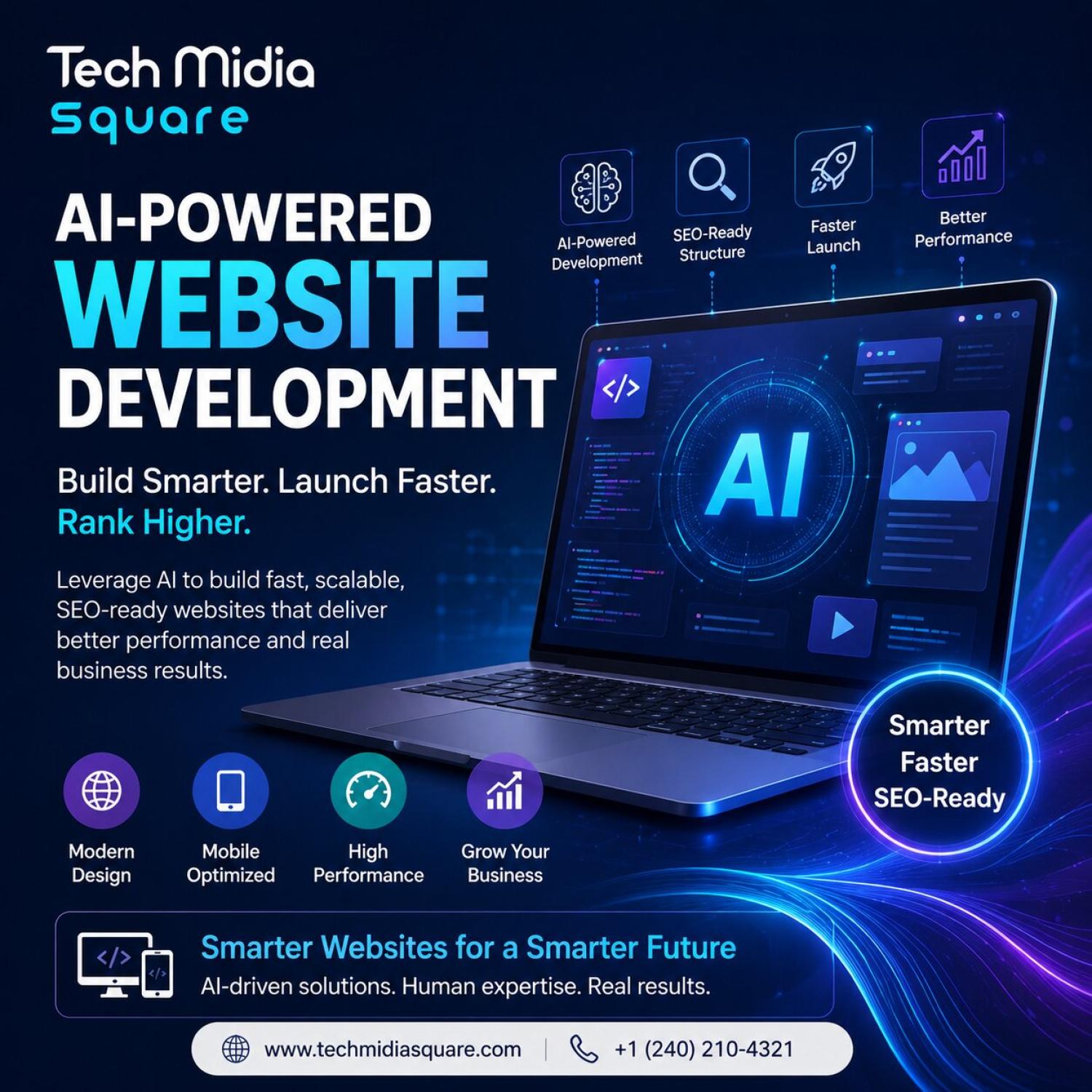
How Businesses Can Build Smarter, Faster & SEO-Ready Websites
TECH MIDIA SQUARE | AI SEO TOOLS
AI-Powered Website Development: How Businesses Can Build Smarter, Faster & SEO-Ready Websites
Tech Midia Square | August 25, 2026 | Category: AI SEO Tools
A business website used to be a digital brochure. Today, it needs to do much more. It should load quickly, understand user intent, provide a smooth experience, support search visibility, and make information easy for both people and AI systems to understand.
That is where AI-powered website development comes in. AI is changing how businesses plan, design, develop, test, personalize, and maintain websites. Modern coding agents can handle everything from code generation and debugging to testing and iterative improvements, while AI website builders can accelerate the creation of functional digital experiences.
For businesses, though, speed alone is not enough. A website must also be SEO-ready, AEO-friendly, GEO-ready, accessible, fast, and genuinely useful. A site that is built in a weekend but cannot be found, trusted, or used will not produce leads, no matter how impressive the technology behind it.
This guide explains what AI-powered website development really involves, how it connects with SEO, AEO, and GEO, where it improves performance and user experience, which tools are worth considering, and which mistakes to avoid. It also includes a practical workflow you can follow, whether you are a small business owner, a marketer, or a developer.
Table of Contents
1. What Is AI-Powered Website Development?
2. Why AI Matters for Modern Websites
3. AI Website Development and SEO
4. AEO and GEO: Preparing for AI Search
5. Performance and UX Go Together
6. AI Tools Businesses Can Use
7. A Practical Workflow for Building an AI-Assisted Website
8. Expert Tips
9. Common Mistakes
10. Frequently Asked Questions
11. Conclusion
1. What Is AI-Powered Website Development?
AI-powered website development uses artificial intelligence throughout the website lifecycle, including research, wireframing, coding, content organization, testing, optimization, and maintenance. Instead of replacing developers, AI can reduce repetitive work and help teams move faster.
It helps to think of AI as a capable assistant that works at every stage of a project rather than a single tool that produces a finished website at the push of a button. Here is where it typically fits:
• Research and planning: summarizing competitor websites, grouping customer questions by theme, and drafting sitemaps and user journeys.
• Design: generating wireframes, layout options, and visual concepts that a designer can review and refine.
• Development: scaffolding components, writing repetitive code, converting designs into working pages, and refactoring older code.
• Content: outlining pages, suggesting internal links, structuring FAQs, and producing first drafts that subject-matter experts then improve.
• Testing: generating automated tests, flagging accessibility issues, and catching regressions before they reach visitors.
• Maintenance: monitoring performance, finding broken links, and highlighting pages whose information may be out of date.
For example, a development team can use an AI coding agent to analyze an existing codebase, create a feature, identify bugs, generate tests, and suggest improvements. Modern coding agents are increasingly capable of handling longer, multi-step development workflows, which means a developer can describe a goal and review the result instead of typing every line.
There are two broad approaches. AI coding agents work inside a real codebase and suit teams that need custom functionality, integrations, and long-term maintainability. AI website builders generate layouts, copy, and basic functionality from a prompt, which makes them attractive for prototypes, landing pages, and simple business sites. Many businesses will use both: a builder to validate an idea quickly, and developers with coding agents to turn the idea into a scalable product.
The result can be a faster development process without sacrificing technical quality, provided that people stay in charge of the decisions that matter: strategy, structure, accuracy, and brand voice.
2. Why AI Matters for Modern Websites
Customer behavior has changed. People still use traditional search engines, but they also ask AI assistants for recommendations, compare options in conversational interfaces, and expect instant, accurate answers. Businesses increasingly need their websites to work across both traditional search and AI-driven discovery.
A strong website should:
• Answer important customer questions clearly.
• Use clean, semantic HTML.
• Provide logical navigation.
• Work well on mobile devices.
• Load quickly.
• Support structured data.
• Make important information easy to crawl.
• Offer helpful, trustworthy content.
• Adapt to changing customer behavior.
AI can help with every item on this list. It can draft clean templates, check markup for consistency, suggest schema for key pages, and highlight content gaps based on the questions your customers actually ask. It can also reduce the cost of building features that once required large budgets.
Beyond a standard brochure website, AI website development can support interactive tools, calculators, dashboards, personalization, and guided experiences. A cost estimator, a product finder, a booking assistant, or a self-service knowledge base can turn a passive website into something visitors actually use. These features give people a reason to return, and they give search systems richer signals about what your business offers.
The competitive angle matters too. When AI lowers the barrier to building a decent-looking website, appearance alone stops being an advantage. The businesses that stand out will be those whose sites are fast, well structured, genuinely helpful, and easy for both people and machines to understand.
3. AI Website Development and SEO
AI-generated code does not automatically create an SEO-friendly website. A page can look polished and still be invisible to search engines because of blocked resources, missing metadata, duplicate URLs, or content that only appears after heavy scripts run. Technical SEO still matters, and it should be planned before development begins rather than patched in afterward.
3.1 Crawlable Architecture
Search engines need to discover important pages efficiently. Use descriptive URLs, internal links, logical page structures, XML sitemaps, canonical tags, and appropriate robots directives.
When using AI to generate pages or routes, check that every important page is reachable through normal links rather than only through scripts or search boxes. Confirm that staging or test pages are not indexable, and that duplicate versions of the same page point to a single canonical URL.
3.2 Semantic Content Structure
Use one clear H1, descriptive H2s and H3s, concise paragraphs, lists, tables, and direct answers. This structure helps users understand information quickly and gives search systems clearer context.
AI tools sometimes produce pages where headings are chosen for visual size instead of meaning, or where the same heading level is repeated throughout. Review each template to make sure headings describe the content beneath them, buttons are real buttons, navigation uses proper landmarks, and images include meaningful alternative text. Good semantics help accessibility as well as SEO.
3.3 Core Web Vitals and Performance
Compress images, minimize unnecessary JavaScript, use efficient hosting, optimize fonts, and reduce layout shifts. A beautiful website that takes several seconds to become usable can lose both visitors and conversions.
AI-generated code can be heavy. It may pull in large libraries for simple tasks, include unused components, or load many third-party scripts. Treat performance as a requirement rather than a finishing touch: set a budget for page weight, test on mid-range mobile devices, and remove anything that does not serve the visitor.
3.4 Helpful, Original Content
AI can assist with research and content workflows, but businesses should add original insights, examples, expertise, data, and real customer information. That is particularly important for E-E-A-T, where experience, expertise, authoritativeness, and trustworthiness help distinguish useful content from generic pages.
A practical way to do this is to let AI produce the outline and a rough draft, then ask a real specialist to add what only they know: how the process works in practice, what typically goes wrong, what the pricing depends on, and what results customers have seen. Author names, credentials, case studies, and honest contact information all reinforce credibility.
3.5 Structured Data and Metadata
Structured data helps search systems interpret what a page is about, whether it describes an organization, a service, a product, an article, or a list of frequently asked questions. Use it only where it accurately matches visible page content. Pair it with unique title tags and meta descriptions for each page, and avoid letting AI generate near-identical metadata across dozens of URLs.
4. AEO and GEO: Preparing for AI Search
Traditional SEO focuses heavily on rankings. Answer Engine Optimization (AEO) and Generative Engine Optimization (GEO) focus on making information understandable and useful when AI systems generate answers. They do not replace SEO; they build on it. A site that is crawlable, fast, and well organized is a better foundation for every discovery channel.
Businesses should create pages that directly answer questions such as:
• What does the service cost?
• Who is it for?
• How does the process work?
• What problems does it solve?
• How does it compare with alternatives?
• Why should customers trust the company?
Use concise definitions, FAQs, comparison tables, statistics, original examples, and clearly attributed information. This can improve the likelihood that your content is understood, referenced, or surfaced across AI-powered search experiences.
How to Write for Answer Engines
• Lead with the answer. Put a one- or two-sentence direct response near the top of the section, then expand with detail.
• Define key terms plainly. A clear definition of your service or product is easy to quote and hard to misinterpret.
• Be specific about entities. State your business name, location, services, and areas of expertise consistently across your website and profiles.
• Show your sources. Attribute data and claims clearly so that both readers and systems can verify them.
• Keep content current. Update pricing, policies, and process descriptions when they change, and show the date of the last review.
AEO vs. GEO at a Glance
The two terms overlap, but their emphasis differs. AEO focuses on optimizing content for direct answers, such as featured snippets, voice responses, and question-style queries. GEO focuses on improving visibility and representation within generative AI experiences, where a system synthesizes information from many sources into one response. In practice, the same habits support both: clear structure, accurate facts, strong topical coverage, and a trustworthy brand.
It is also wise to stay realistic. No one can guarantee that an AI system will cite a particular page, and the behavior of these systems keeps evolving. The sensible approach is to build content that deserves to be referenced, then measure what happens.
5. Performance and UX Go Together
AI should not be used simply because it is trendy. The question to ask is whether a feature improves the customer journey. Sometimes it does; sometimes a simpler solution works better.
Consider a local service company that wants more leads. Instead of adding unnecessary AI features, the smarter approach might be a fast service website with an AI-assisted quote calculator, clear location pages, strong calls to action, and useful FAQs. That combination improves the actual customer journey: the visitor finds the page, understands the offer, gets a rough price, and knows exactly how to take the next step.
Design Choices That Support Both Speed and Conversions
• Mobile first: design for small screens and slower connections, then enhance for larger devices.
• Clear calls to action: make the primary action obvious on every important page, whether it is calling, booking, or requesting a quote.
• Fast first impression: prioritize above-the-fold content and avoid large sliders, autoplay media, and heavy animations.
• Accessible by default: use sufficient color contrast, readable text sizes, keyboard-friendly navigation, and descriptive labels.
• Helpful AI features: add chat, search, or recommendation tools only where they remove friction, and always provide a clear path to a human.
For businesses targeting competitive markets, SEO services, local SEO services, e-commerce SEO services, and digital marketing should also connect naturally through the site's internal architecture rather than existing as isolated pages. Service pages should link to relevant location pages, case studies, and blog articles, and those pages should link back. This helps visitors move through the site and helps search systems understand how your topics relate.
6. AI Tools Businesses Can Use
Modern teams have several options. The right mix depends on budget, technical skill, and the complexity of the website.
Tool Category Useful For
AI coding agents Development, debugging, testing
AI website builders Rapid prototypes and business websites
Generative AI Content ideas and UX concepts
AI analytics tools Finding behavior and conversion patterns
SEO platforms Technical audits and keyword research
AI design tools Wireframes, visuals, and prototypes
Tools such as Codex can support end-to-end development workflows, while newer AI website platforms are moving beyond simple homepage generation toward broader website functionality. Because this market changes quickly, evaluate tools against your own requirements instead of following headlines.
Questions to Ask Before Choosing a Tool
• Does it produce clean, editable code or markup, or does it lock the site into a proprietary system?
• Can you control titles, headings, URLs, redirects, sitemaps, and structured data?
• How does it handle performance, accessibility, and mobile layouts?
• Who owns the content and code, and how easy is it to export or migrate later?
• What are the privacy and security implications of the data you share with the tool?
• Does it fit your team's skills, so that someone can actually maintain the result?
7. A Practical Workflow for Building an AI-Assisted Website
The following workflow combines AI speed with human judgment. Adapt it to the size of your project.
1. Define the business goal. Decide what the website must achieve: more leads, online sales, bookings, or support deflection. Every later decision should serve that goal.
2. Research customers and competitors. Use AI to summarize competitor pages and cluster customer questions, then validate the findings with real conversations, reviews, and sales data.
3. Plan the architecture. Map the main pages, service categories, location pages, and supporting articles. Decide URL patterns, internal linking, and navigation before writing content.
4. Create wireframes and prototypes. Use AI design tools or a website builder to generate options quickly, then choose and refine the best direction with stakeholders.
5. Build with human review. Let coding agents scaffold components and write tests, but have a developer review the code for security, accessibility, performance, and maintainability.
6. Develop content with real expertise. Use AI for outlines and drafts, then add original insights, examples, data, and customer proof. Edit for accuracy, tone, and brand voice.
7. Add SEO, AEO, and GEO elements. Implement metadata, structured data, FAQs, comparison tables, and clear answer-first sections on key pages.
8. Test before launch. Check mobile performance, cross-browser behavior, forms, tracking, redirects, and accessibility. Confirm that important pages can be crawled and indexed.
9. Launch and measure. Track organic traffic, conversions, engagement, and visibility in AI-driven search experiences.
10. Improve continuously. Review analytics, update content, fix issues, and expand successful pages on a regular schedule.
8. Expert Tips
• Start with customer problems, not AI features. A tool is only valuable if it helps someone solve a real problem.
• Build SEO architecture before writing large amounts of content. Retrofitting structure across hundreds of pages is costly.
• Keep important content accessible in crawlable HTML. Do not hide key information behind scripts, tabs that never load, or interactions that crawlers cannot perform.
• Use structured data where it accurately represents page information. Misleading markup can harm trust.
• Test mobile performance before launch. Most visitors will meet your site on a phone.
• Review AI-generated code manually. Check for security gaps, unnecessary dependencies, and accessibility problems.
• Track organic traffic, conversions, engagement, and AI-search visibility. What you measure shows where to improve.
• Refresh important pages when customer needs or information changes. Fresh, accurate pages earn more trust than abandoned ones.
9. Common Mistakes
Using AI Without Human Review
AI can generate incorrect code, weak content, or misleading claims. Human review remains essential. Establish a simple approval process in which a developer checks code, an editor checks content, and a subject-matter expert confirms facts before anything goes live.
Focusing Only on Design
A visually impressive website can still fail if it has poor navigation, weak content, slow performance, or technical SEO problems. Good design supports the business goal; it does not replace strategy.
Publishing Generic AI Content
If every competitor publishes the same type of AI-generated article, none of them provides a meaningful reason to be trusted. Differentiate with first-hand experience, local knowledge, customer stories, and data that only your business has.
Ignoring AI Search
Businesses should not treat AI search as a replacement for SEO. Strong technical foundations, useful content, clear entities, and authoritative information support visibility across multiple discovery channels. At the same time, ignoring AI search entirely means missing a growing way that customers research and compare providers.
Neglecting Maintenance
A website is never finished. Plugins need updates, content becomes outdated, and customer expectations change. Schedule regular audits so that small problems do not become ranking or conversion losses.
10. Frequently Asked Questions
What is AI-powered website development?
It is the use of AI throughout website planning, design, coding, testing, optimization, and maintenance to improve development speed and digital experiences.
Can AI build an SEO-friendly website?
Yes, but AI alone is not enough. Developers and SEO specialists must verify technical SEO, content quality, performance, accessibility, structured data, and crawlability.
What is the difference between AEO and GEO?
AEO focuses on optimizing content for direct answers, while GEO focuses on improving visibility and representation within generative AI experiences.
Should small businesses use AI website development?
Yes. Small businesses can use AI to reduce development time, improve workflows, personalize experiences, and build more competitive websites without adding unnecessary complexity.
How long does it take to build a website with AI?
AI can shorten prototyping and development considerably, but timelines still depend on the scope, content readiness, integrations, testing, and approvals. A simple site may take days; a complex platform still takes careful planning.
Will AI replace web developers?
Unlikely. AI handles repetitive and well-defined tasks effectively, but developers are still needed for architecture, security, integration, quality control, and judgment about what a business actually needs.
Is AI-generated content bad for SEO?
Not by itself. Content is judged on whether it is helpful, accurate, and original. AI-assisted content that is reviewed by experts and enriched with real insight can perform well, while generic, unedited content usually does not.
11. Conclusion
The future of website development is not simply about building websites faster. It is about building smarter digital experiences that people, search engines, and AI systems can understand.
With the right strategy, AI can accelerate development while SEO, AEO, GEO, UX, performance, and human expertise keep the final website valuable. The businesses that benefit most will use AI as a multiplier for good planning and genuine expertise, not as a shortcut around them.
Tech Midia Square combines web development, SEO, AI marketing, and digital strategy to help businesses build websites designed for modern search and real customer growth.
Ready to Build a Smarter Website?
If your current website is slow, difficult to manage, hard to find in search, or not generating enough leads, it may be time for a smarter approach. Tech Midia Square can help you plan, develop, optimize, and grow an SEO-ready website built around your business goals.
Tags: #AEO #AIOptimization #AISearch #AISEO #AIWebDevelopment #AIWebsiteDevelopment #DigitalMarketing #GEO #SEO #WebDevelopment #WebsiteDevelopment
AI-Powered Website Development: How Businesses Can Build Smarter, Faster & SEO-Ready Websites
Tech Midia Square | August 25, 2026 | Category: AI SEO Tools
A business website used to be a digital brochure. Today, it needs to do much more. It should load quickly, understand user intent, provide a smooth experience, support search visibility, and make information easy for both people and AI systems to understand.
That is where AI-powered website development comes in. AI is changing how businesses plan, design, develop, test, personalize, and maintain websites. Modern coding agents can handle everything from code generation and debugging to testing and iterative improvements, while AI website builders can accelerate the creation of functional digital experiences.
For businesses, though, speed alone is not enough. A website must also be SEO-ready, AEO-friendly, GEO-ready, accessible, fast, and genuinely useful. A site that is built in a weekend but cannot be found, trusted, or used will not produce leads, no matter how impressive the technology behind it.
This guide explains what AI-powered website development really involves, how it connects with SEO, AEO, and GEO, where it improves performance and user experience, which tools are worth considering, and which mistakes to avoid. It also includes a practical workflow you can follow, whether you are a small business owner, a marketer, or a developer.
Table of Contents
1. What Is AI-Powered Website Development?
2. Why AI Matters for Modern Websites
3. AI Website Development and SEO
4. AEO and GEO: Preparing for AI Search
5. Performance and UX Go Together
6. AI Tools Businesses Can Use
7. A Practical Workflow for Building an AI-Assisted Website
8. Expert Tips
9. Common Mistakes
10. Frequently Asked Questions
11. Conclusion
1. What Is AI-Powered Website Development?
AI-powered website development uses artificial intelligence throughout the website lifecycle, including research, wireframing, coding, content organization, testing, optimization, and maintenance. Instead of replacing developers, AI can reduce repetitive work and help teams move faster.
It helps to think of AI as a capable assistant that works at every stage of a project rather than a single tool that produces a finished website at the push of a button. Here is where it typically fits:
• Research and planning: summarizing competitor websites, grouping customer questions by theme, and drafting sitemaps and user journeys.
• Design: generating wireframes, layout options, and visual concepts that a designer can review and refine.
• Development: scaffolding components, writing repetitive code, converting designs into working pages, and refactoring older code.
• Content: outlining pages, suggesting internal links, structuring FAQs, and producing first drafts that subject-matter experts then improve.
• Testing: generating automated tests, flagging accessibility issues, and catching regressions before they reach visitors.
• Maintenance: monitoring performance, finding broken links, and highlighting pages whose information may be out of date.
For example, a development team can use an AI coding agent to analyze an existing codebase, create a feature, identify bugs, generate tests, and suggest improvements. Modern coding agents are increasingly capable of handling longer, multi-step development workflows, which means a developer can describe a goal and review the result instead of typing every line.
There are two broad approaches. AI coding agents work inside a real codebase and suit teams that need custom functionality, integrations, and long-term maintainability. AI website builders generate layouts, copy, and basic functionality from a prompt, which makes them attractive for prototypes, landing pages, and simple business sites. Many businesses will use both: a builder to validate an idea quickly, and developers with coding agents to turn the idea into a scalable product.
The result can be a faster development process without sacrificing technical quality, provided that people stay in charge of the decisions that matter: strategy, structure, accuracy, and brand voice.
2. Why AI Matters for Modern Websites
Customer behavior has changed. People still use traditional search engines, but they also ask AI assistants for recommendations, compare options in conversational interfaces, and expect instant, accurate answers. Businesses increasingly need their websites to work across both traditional search and AI-driven discovery.
A strong website should:
• Answer important customer questions clearly.
• Use clean, semantic HTML.
• Provide logical navigation.
• Work well on mobile devices.
• Load quickly.
• Support structured data.
• Make important information easy to crawl.
• Offer helpful, trustworthy content.
• Adapt to changing customer behavior.
AI can help with every item on this list. It can draft clean templates, check markup for consistency, suggest schema for key pages, and highlight content gaps based on the questions your customers actually ask. It can also reduce the cost of building features that once required large budgets.
Beyond a standard brochure website, AI website development can support interactive tools, calculators, dashboards, personalization, and guided experiences. A cost estimator, a product finder, a booking assistant, or a self-service knowledge base can turn a passive website into something visitors actually use. These features give people a reason to return, and they give search systems richer signals about what your business offers.
The competitive angle matters too. When AI lowers the barrier to building a decent-looking website, appearance alone stops being an advantage. The businesses that stand out will be those whose sites are fast, well structured, genuinely helpful, and easy for both people and machines to understand.
3. AI Website Development and SEO
AI-generated code does not automatically create an SEO-friendly website. A page can look polished and still be invisible to search engines because of blocked resources, missing metadata, duplicate URLs, or content that only appears after heavy scripts run. Technical SEO still matters, and it should be planned before development begins rather than patched in afterward.
3.1 Crawlable Architecture
Search engines need to discover important pages efficiently. Use descriptive URLs, internal links, logical page structures, XML sitemaps, canonical tags, and appropriate robots directives.
When using AI to generate pages or routes, check that every important page is reachable through normal links rather than only through scripts or search boxes. Confirm that staging or test pages are not indexable, and that duplicate versions of the same page point to a single canonical URL.
3.2 Semantic Content Structure
Use one clear H1, descriptive H2s and H3s, concise paragraphs, lists, tables, and direct answers. This structure helps users understand information quickly and gives search systems clearer context.
AI tools sometimes produce pages where headings are chosen for visual size instead of meaning, or where the same heading level is repeated throughout. Review each template to make sure headings describe the content beneath them, buttons are real buttons, navigation uses proper landmarks, and images include meaningful alternative text. Good semantics help accessibility as well as SEO.
3.3 Core Web Vitals and Performance
Compress images, minimize unnecessary JavaScript, use efficient hosting, optimize fonts, and reduce layout shifts. A beautiful website that takes several seconds to become usable can lose both visitors and conversions.
AI-generated code can be heavy. It may pull in large libraries for simple tasks, include unused components, or load many third-party scripts. Treat performance as a requirement rather than a finishing touch: set a budget for page weight, test on mid-range mobile devices, and remove anything that does not serve the visitor.
3.4 Helpful, Original Content
AI can assist with research and content workflows, but businesses should add original insights, examples, expertise, data, and real customer information. That is particularly important for E-E-A-T, where experience, expertise, authoritativeness, and trustworthiness help distinguish useful content from generic pages.
A practical way to do this is to let AI produce the outline and a rough draft, then ask a real specialist to add what only they know: how the process works in practice, what typically goes wrong, what the pricing depends on, and what results customers have seen. Author names, credentials, case studies, and honest contact information all reinforce credibility.
3.5 Structured Data and Metadata
Structured data helps search systems interpret what a page is about, whether it describes an organization, a service, a product, an article, or a list of frequently asked questions. Use it only where it accurately matches visible page content. Pair it with unique title tags and meta descriptions for each page, and avoid letting AI generate near-identical metadata across dozens of URLs.
4. AEO and GEO: Preparing for AI Search
Traditional SEO focuses heavily on rankings. Answer Engine Optimization (AEO) and Generative Engine Optimization (GEO) focus on making information understandable and useful when AI systems generate answers. They do not replace SEO; they build on it. A site that is crawlable, fast, and well organized is a better foundation for every discovery channel.
Businesses should create pages that directly answer questions such as:
• What does the service cost?
• Who is it for?
• How does the process work?
• What problems does it solve?
• How does it compare with alternatives?
• Why should customers trust the company?
Use concise definitions, FAQs, comparison tables, statistics, original examples, and clearly attributed information. This can improve the likelihood that your content is understood, referenced, or surfaced across AI-powered search experiences.
How to Write for Answer Engines
• Lead with the answer. Put a one- or two-sentence direct response near the top of the section, then expand with detail.
• Define key terms plainly. A clear definition of your service or product is easy to quote and hard to misinterpret.
• Be specific about entities. State your business name, location, services, and areas of expertise consistently across your website and profiles.
• Show your sources. Attribute data and claims clearly so that both readers and systems can verify them.
• Keep content current. Update pricing, policies, and process descriptions when they change, and show the date of the last review.
AEO vs. GEO at a Glance
The two terms overlap, but their emphasis differs. AEO focuses on optimizing content for direct answers, such as featured snippets, voice responses, and question-style queries. GEO focuses on improving visibility and representation within generative AI experiences, where a system synthesizes information from many sources into one response. In practice, the same habits support both: clear structure, accurate facts, strong topical coverage, and a trustworthy brand.
It is also wise to stay realistic. No one can guarantee that an AI system will cite a particular page, and the behavior of these systems keeps evolving. The sensible approach is to build content that deserves to be referenced, then measure what happens.
5. Performance and UX Go Together
AI should not be used simply because it is trendy. The question to ask is whether a feature improves the customer journey. Sometimes it does; sometimes a simpler solution works better.
Consider a local service company that wants more leads. Instead of adding unnecessary AI features, the smarter approach might be a fast service website with an AI-assisted quote calculator, clear location pages, strong calls to action, and useful FAQs. That combination improves the actual customer journey: the visitor finds the page, understands the offer, gets a rough price, and knows exactly how to take the next step.
Design Choices That Support Both Speed and Conversions
• Mobile first: design for small screens and slower connections, then enhance for larger devices.
• Clear calls to action: make the primary action obvious on every important page, whether it is calling, booking, or requesting a quote.
• Fast first impression: prioritize above-the-fold content and avoid large sliders, autoplay media, and heavy animations.
• Accessible by default: use sufficient color contrast, readable text sizes, keyboard-friendly navigation, and descriptive labels.
• Helpful AI features: add chat, search, or recommendation tools only where they remove friction, and always provide a clear path to a human.
For businesses targeting competitive markets, SEO services, local SEO services, e-commerce SEO services, and digital marketing should also connect naturally through the site's internal architecture rather than existing as isolated pages. Service pages should link to relevant location pages, case studies, and blog articles, and those pages should link back. This helps visitors move through the site and helps search systems understand how your topics relate.
6. AI Tools Businesses Can Use
Modern teams have several options. The right mix depends on budget, technical skill, and the complexity of the website.
Tool Category Useful For
AI coding agents Development, debugging, testing
AI website builders Rapid prototypes and business websites
Generative AI Content ideas and UX concepts
AI analytics tools Finding behavior and conversion patterns
SEO platforms Technical audits and keyword research
AI design tools Wireframes, visuals, and prototypes
Tools such as Codex can support end-to-end development workflows, while newer AI website platforms are moving beyond simple homepage generation toward broader website functionality. Because this market changes quickly, evaluate tools against your own requirements instead of following headlines.
Questions to Ask Before Choosing a Tool
• Does it produce clean, editable code or markup, or does it lock the site into a proprietary system?
• Can you control titles, headings, URLs, redirects, sitemaps, and structured data?
• How does it handle performance, accessibility, and mobile layouts?
• Who owns the content and code, and how easy is it to export or migrate later?
• What are the privacy and security implications of the data you share with the tool?
• Does it fit your team's skills, so that someone can actually maintain the result?
7. A Practical Workflow for Building an AI-Assisted Website
The following workflow combines AI speed with human judgment. Adapt it to the size of your project.
1. Define the business goal. Decide what the website must achieve: more leads, online sales, bookings, or support deflection. Every later decision should serve that goal.
2. Research customers and competitors. Use AI to summarize competitor pages and cluster customer questions, then validate the findings with real conversations, reviews, and sales data.
3. Plan the architecture. Map the main pages, service categories, location pages, and supporting articles. Decide URL patterns, internal linking, and navigation before writing content.
4. Create wireframes and prototypes. Use AI design tools or a website builder to generate options quickly, then choose and refine the best direction with stakeholders.
5. Build with human review. Let coding agents scaffold components and write tests, but have a developer review the code for security, accessibility, performance, and maintainability.
6. Develop content with real expertise. Use AI for outlines and drafts, then add original insights, examples, data, and customer proof. Edit for accuracy, tone, and brand voice.
7. Add SEO, AEO, and GEO elements. Implement metadata, structured data, FAQs, comparison tables, and clear answer-first sections on key pages.
8. Test before launch. Check mobile performance, cross-browser behavior, forms, tracking, redirects, and accessibility. Confirm that important pages can be crawled and indexed.
9. Launch and measure. Track organic traffic, conversions, engagement, and visibility in AI-driven search experiences.
10. Improve continuously. Review analytics, update content, fix issues, and expand successful pages on a regular schedule.
8. Expert Tips
• Start with customer problems, not AI features. A tool is only valuable if it helps someone solve a real problem.
• Build SEO architecture before writing large amounts of content. Retrofitting structure across hundreds of pages is costly.
• Keep important content accessible in crawlable HTML. Do not hide key information behind scripts, tabs that never load, or interactions that crawlers cannot perform.
• Use structured data where it accurately represents page information. Misleading markup can harm trust.
• Test mobile performance before launch. Most visitors will meet your site on a phone.
• Review AI-generated code manually. Check for security gaps, unnecessary dependencies, and accessibility problems.
• Track organic traffic, conversions, engagement, and AI-search visibility. What you measure shows where to improve.
• Refresh important pages when customer needs or information changes. Fresh, accurate pages earn more trust than abandoned ones.
9. Common Mistakes
Using AI Without Human Review
AI can generate incorrect code, weak content, or misleading claims. Human review remains essential. Establish a simple approval process in which a developer checks code, an editor checks content, and a subject-matter expert confirms facts before anything goes live.
Focusing Only on Design
A visually impressive website can still fail if it has poor navigation, weak content, slow performance, or technical SEO problems. Good design supports the business goal; it does not replace strategy.
Publishing Generic AI Content
If every competitor publishes the same type of AI-generated article, none of them provides a meaningful reason to be trusted. Differentiate with first-hand experience, local knowledge, customer stories, and data that only your business has.
Ignoring AI Search
Businesses should not treat AI search as a replacement for SEO. Strong technical foundations, useful content, clear entities, and authoritative information support visibility across multiple discovery channels. At the same time, ignoring AI search entirely means missing a growing way that customers research and compare providers.
Neglecting Maintenance
A website is never finished. Plugins need updates, content becomes outdated, and customer expectations change. Schedule regular audits so that small problems do not become ranking or conversion losses.
10. Frequently Asked Questions
What is AI-powered website development?
It is the use of AI throughout website planning, design, coding, testing, optimization, and maintenance to improve development speed and digital experiences.
Can AI build an SEO-friendly website?
Yes, but AI alone is not enough. Developers and SEO specialists must verify technical SEO, content quality, performance, accessibility, structured data, and crawlability.
What is the difference between AEO and GEO?
AEO focuses on optimizing content for direct answers, while GEO focuses on improving visibility and representation within generative AI experiences.
Should small businesses use AI website development?
Yes. Small businesses can use AI to reduce development time, improve workflows, personalize experiences, and build more competitive websites without adding unnecessary complexity.
How long does it take to build a website with AI?
AI can shorten prototyping and development considerably, but timelines still depend on the scope, content readiness, integrations, testing, and approvals. A simple site may take days; a complex platform still takes careful planning.
Will AI replace web developers?
Unlikely. AI handles repetitive and well-defined tasks effectively, but developers are still needed for architecture, security, integration, quality control, and judgment about what a business actually needs.
Is AI-generated content bad for SEO?
Not by itself. Content is judged on whether it is helpful, accurate, and original. AI-assisted content that is reviewed by experts and enriched with real insight can perform well, while generic, unedited content usually does not.
11. Conclusion
The future of website development is not simply about building websites faster. It is about building smarter digital experiences that people, search engines, and AI systems can understand.
With the right strategy, AI can accelerate development while SEO, AEO, GEO, UX, performance, and human expertise keep the final website valuable. The businesses that benefit most will use AI as a multiplier for good planning and genuine expertise, not as a shortcut around them.
Tech Midia Square combines web development, SEO, AI marketing, and digital strategy to help businesses build websites designed for modern search and real customer growth.
Ready to Build a Smarter Website?
If your current website is slow, difficult to manage, hard to find in search, or not generating enough leads, it may be time for a smarter approach. Tech Midia Square can help you plan, develop, optimize, and grow an SEO-ready website built around your business goals.
Tags: #AEO #AIOptimization #AISearch #AISEO #AIWebDevelopment #AIWebsiteDevelopment #DigitalMarketing #GEO #SEO #WebDevelopment #WebsiteDevelopment
Comments:
No comment added till now.
Leave A Comment:
Login or Register First to comment.
Author

Recent Posts



Search Experience Optimization (SXO) Guide
08 Jan 2026

Manual Directory Submission Services Guide
23 Dec 2025



Share Page
Related Keywords
Subscribe to our newsletter
To get latest news / trends in digital marketing subscribe to our newsletter. We don't spam your inbox, we sent only latest news, offers one or hardly two times per month.